
The platform
Vehicle management that is actually helpful.
A to-do list, not a data dump. Readiness, alerts, location, vehicles, drivers, busy-period planning and compatible parts. Everything points to how to optimise your vehicles, M.A.T.E. AI watches all of it and the part for that exact vehicle is on the same screen as the fault that needs it.
Dashboard and fleet overview
Everything the account needs, on one page. Fleet readiness is built from vehicles ready, plugs reporting and pre-starts done on time and everything points to how to optimise your vehicles.
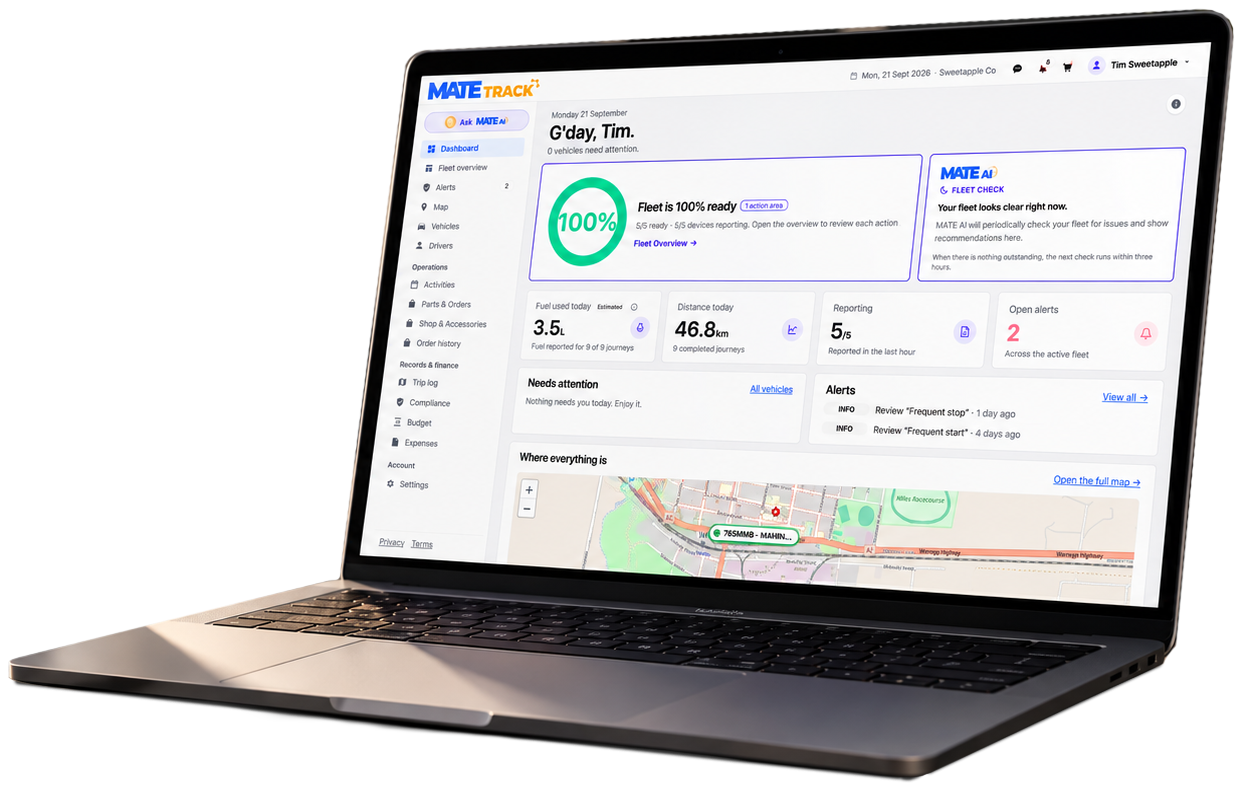
Actions to close the loop
A numbered to-do list: vehicles needing attention, open vehicle work including damage reports, alerts to action, places worth reviewing and M.A.T.E. recommendations you have not read yet.Four status bands, plainly named
Ready, Attention, Immediate attention and Do not drive. Alongside them: open damage, critical tasks and how many plugs are reporting.Readiness by group
Each site, location or team carries its own score, so a good fleet average cannot hide one yard that is struggling.Readiness trend
The score over time, so you can see whether the fleet is getting better or quietly sliding.A M.A.T.E. recommendation card
The vehicle, the issue in plain English and what to do next, with View issue and Ask M.A.T.E. on the card.Alerts, vehicles and drivers
Things that need a decision or a fix, the whole fleet as one sortable list and who is behind the wheel.
Alerts that need action
Tabs for Needs action, Critical, Warning and Resolved, with repeats grouped instead of flooding the list. Resolve one or a whole group, or open the vehicle. Possible collisions, low battery voltage and suggested locations all land here.The whole fleet, most urgent first
Status, readiness out of 100, vehicle, rego, group, odometer, engine hours, next service and plug connection. Search by rego, name, model or group. Archived vehicles stay out of the way and keep their history.Who's behind the wheel
Driver cards with contact details, primary and allocated vehicles and receipts uploaded. Drivers check in to a vehicle and that shows on the map.Where everything is
Last reported locations across the active fleet, with zones you draw, a zones list, suggested places M.A.T.E. thinks deserve a zone, how long each vehicle has been parked and a location you can share with someone outside the account.No signal, no gap
The plug keeps recording trips and movements out of range and catches up when it reconnects, so the history stays complete. Alerts raised in a black spot arrive once the vehicle is back in range.Look after the vehicles and the people in them
Checks that actually happen, with the proof they did. Driving scores belong to the vehicle, not the person, because several people may use the same ute.
Pre-start checklists you design
Build your own checks, assign them per vehicle and schedule when they are due. Completion is tracked on time and an issue raised on a check becomes vehicle work rather than a note nobody sees.Take-5 risk assessments
Configurable for your own task hazards and able to hold high-risk work until the controls are in place.Driving behaviour, scored fairly
Hard acceleration, braking and cornering carry small weights and possible collisions carry much more, all weighed against the kilometres travelled. A 10 km minimum stops one short trip wrecking a day's score. The fleet sets how firm the scoring is: Lax allows the odd hard manoeuvre, Average is a balanced benchmark, Strict counts every recorded event in full. Whatever the setting, a serious safety incident always appears as an alert.Time-limited location sharing
Share a vehicle's location with someone outside the account when a driver is working alone or needs help, for as long as you choose. It supports coordination and is not an emergency service. In a genuine emergency, call 000.Activities
Plan maintenance around the times your fleet is needed most
Most fleet software schedules services off the odometer alone. Here, each group sets its own busy periods on a 12-month timeline and jobs are plotted on top of them.
- The clash
Your busy period is the wrong time to find out the ute needs servicing
When a service interval lands inside a busy period, M.A.T.E. flags it and suggests a better time, usually bringing it forward. A Manager or Admin makes the change. M.A.T.E. never moves it on its own.
- Job types
Safety jobs never wait
Every job is logged as one of four types: a scheduled service, an unplanned repair, a booked job, or a safety job. Safety jobs are never pushed back to suit a busy period. One list shows what is overdue, what is coming up and what M.A.T.E. suggests booking next.
- Groups
Every site gets its own busy season
Groups can be sites, locations, teams or vehicle types, each with a description, the vehicles included, its busy period dates, its booked jobs in-house or external and its own checklist of pre-start requirements.
Group · busy period
Illustrative only. A 12-month timeline per group, with jobs plotted over its busy periods.
Parts, orders and the shop
Find compatible parts for every vehicle
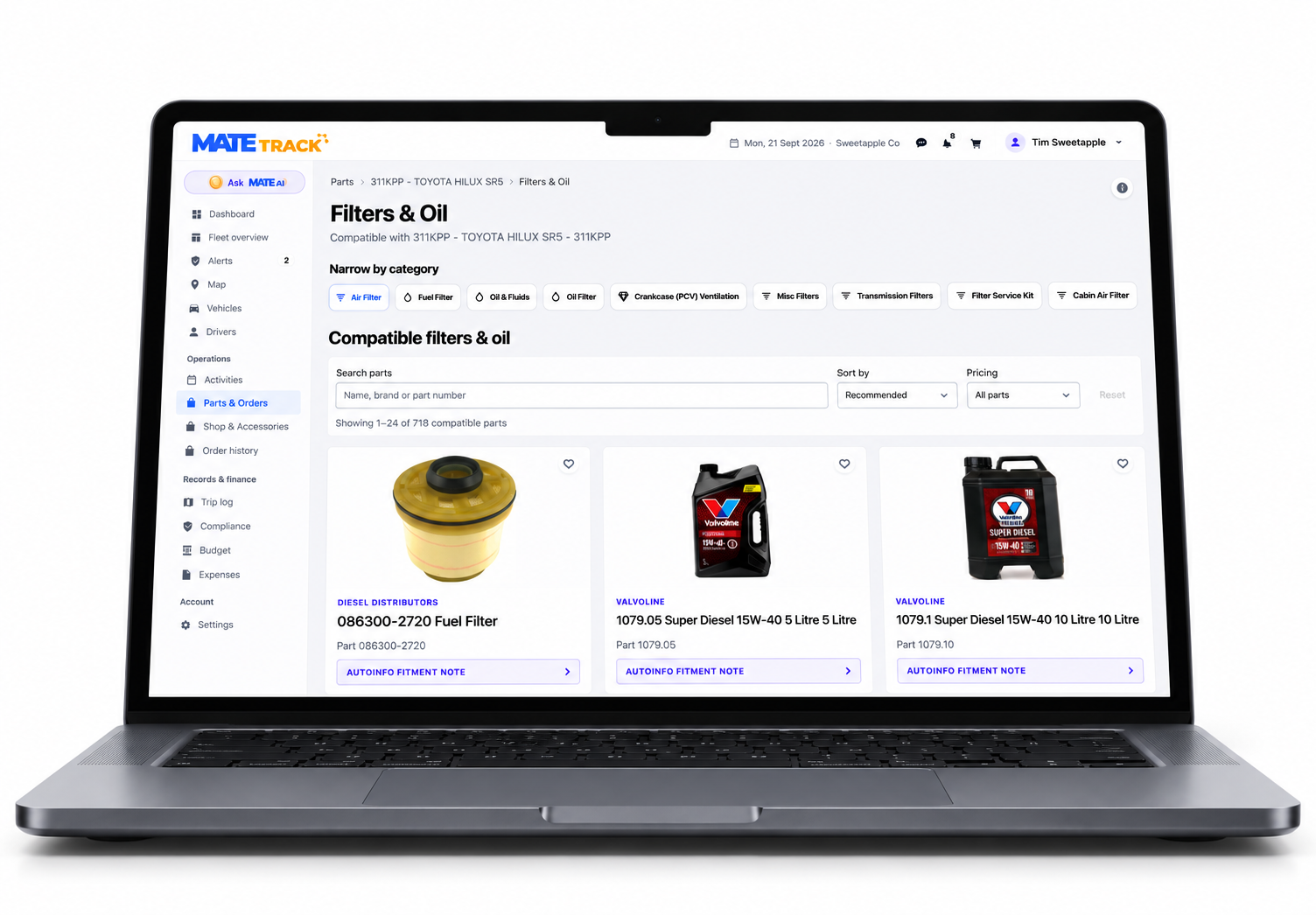
Choose a vehicle first. You only see spare parts confirmed for its exact match, so nobody rings around and nobody sends the wrong box back.
- Ordering
One vehicle or the whole group
Build a service order for a single vehicle or across a group in one go. Each vehicle shows whether it is ready for parts or still needs a vehicle match.
- Shop and accessories
Useful gear & parts for the fleet and workshop
12,500+ brand-name automotive products, plus 260,000+ aftermarket parts available for online purchase: servicing fluids and wipers, cleaning and detailing, lighting and electrical, paint and workshop tools, cameras and safety devices, interior and comfort, 4x4 and adventure. Brands include Penrite, Nulon, Wesfil, Ryco, Bendix, DBA, NGK, KYB, Goss, GSP, Tridon, Bowden's Own and Meguiar's. Shipping Australia-wide.
- Order history
One list for everything bought
Shop products and vehicle parts appear together, with order number, date, status and total. Shipping is calculated at checkout.
- Coming next
Parts waiting before the vehicle arrives
Workshop notes carried forward from one service to the next and parts ordered to arrive ahead of each scheduled service.
The right view for everyone
Five access levels, so each person sees what they need and nothing they don't. Users are unlimited, so everyone who needs a login gets one, including your accountant.
- Owner and AdminThe whole account, across every site and group.
- ManagerOnly the groups, vehicles and data that apply to them and able to act on M.A.T.E.'s suggestions, such as moving a service.
- DriverOnly what applies to them: their vehicle, trips, checks and receipts, on their phone. Seasonal and temporary staff get a driver login and it is removed when they finish.
- Accountant view LiveRead-only access to data and exports, built for accountants and analysts.
- Set once, in one placeFleet profile, tax and ABN details, billing, which drivers can use which vehicles, plug health, pre-start checks, Take-5 safety policies, driving behaviour firmness and an audit log of who changed what.
Everything points to how to optimise your vehicles.
See it against your own vehicles.
Send us your vehicle list and we will walk you through the platform with your fleet in it.